VM Storm Live Dealer Games: How to Join Your First Table
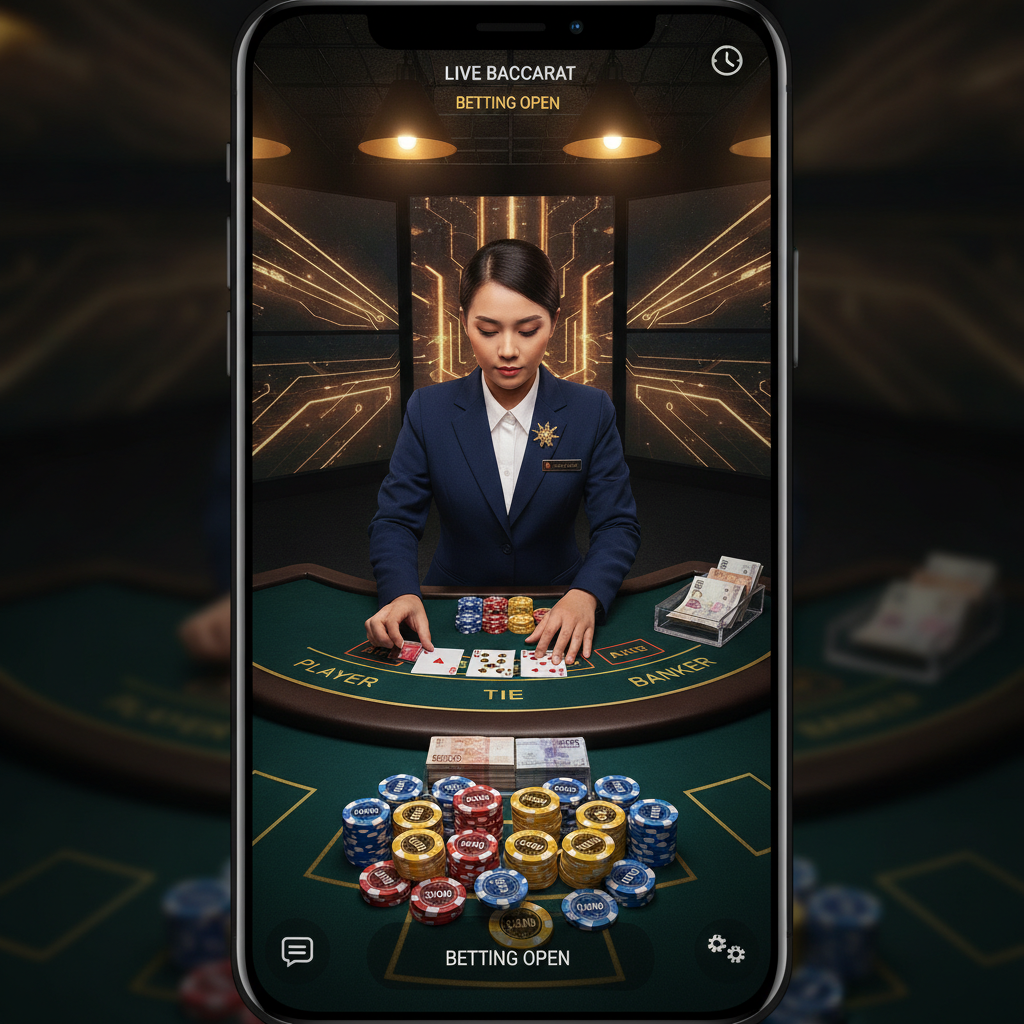
What Live Dealer Games Are Available on VM Storm
VM Storm offers live dealer tables for Filipino players who want the experience of a real casino from their phone. These games stream a live dealer from a studio, and you place bets in real time alongside other players.
The platform carries the most popular live dealer games in the Philippines:
- Live Baccarat – the most common choice, with multiple tables running at different stake levels
- Live Blackjack – standard 21, dealt by a live dealer
- Live Roulette – European or American wheel, streamed live
- Live Sic Bo – three-dice betting game
All live dealer games on VM Storm accept bets in Philippine pesos. Each table displays its minimum and maximum bet before you enter, so you can pick a table that matches your budget.
After you complete VM Storm login, you'll find the live dealer section in the main menu. Tables are grouped by game type, and most are optimized for Android mobile screens.
Step-by-Step: Entering a Live Baccarat or Blackjack Table
Joining your first live dealer table on VM Storm is straightforward. Follow these steps on your Android phone:
1. Log in and fund your account
Make sure you've completed VM Storm register and have peso funds in your account. You can deposit through GCash, Maya, or bank transfer via InstaPay or PESONet. Most beginners start with PHP 100–500.
2. Open the live dealer section
Tap the menu icon (usually three lines at the top left) and select Live Casino or Live Dealer. You'll see a list of active tables, each with a preview thumbnail showing the dealer and the table layout.
3. Choose a table
For your first session, look for a table labeled Baccarat or Blackjack with a low minimum bet—typically PHP 50 or PHP 100. Tap the table thumbnail to see details, including:
- Minimum and maximum bet limits
- Number of players currently seated
- The dealer's name (often displayed on screen)
4. Tap "Join Table"
Once you select a table that fits your budget, tap the button to enter. The stream will load, and you'll see the dealer, the table layout, and betting controls at the bottom of your screen.
5. Wait for the betting window
Live dealer games run in rounds. If a round is in progress when you join, you'll watch until the next betting window opens. The interface will display a countdown timer—usually 10 to 20 seconds—during which you can place your bet.
6. Place your first bet
Tap the chip denomination you want (for example, PHP 50 or PHP 100), then tap the betting area on the table layout:
- In baccarat, tap Player, Banker, or Tie.
- In blackjack, tap the circle in front of your seat.
A confirmation box or chip icon will appear on the table layout, showing your bet amount.
7. Confirm and watch the round
Some tables require you to tap a Confirm button; others lock in your bet automatically when the timer ends. The dealer will announce "no more bets," then deal the cards. Results appear on screen, and your balance updates immediately.
If you win, your payout is added to your account. If you lose, the stake is deducted. You can stay at the table and bet on the next round, or exit and choose a different game.
Minimum Bets at Live Dealer Tables for Beginners
VM Storm live dealer tables cater to a range of budgets. Here's what Filipino beginners can expect:
| Game | Typical Minimum Bet | Typical Maximum Bet |
|--------------|---------------------|---------------------|
| Live Baccarat | PHP 50 – PHP 100 | PHP 10,000+ |
| Live Blackjack| PHP 100 – PHP 200 | PHP 5,000+ |
| Live Roulette | PHP 50 – PHP 100 | PHP 10,000+ |
| Live Sic Bo | PHP 50 | PHP 5,000+ |
Bet limits vary by table and time of day. Always check the table info before entering.
If you're playing with a PHP 100–500 deposit, stick to tables with a PHP 50 or PHP 100 minimum. This gives you multiple rounds to learn the game without risking your entire balance on a single hand.
VIP and high-roller tables appear in the same lobby but display higher minimums—sometimes PHP 500, PHP 1,000, or more. Beginners should avoid these until they're comfortable with the game flow and their bankroll.
Bet spread example
With a PHP 500 deposit and a PHP 50 minimum-bet baccarat table, you could play:
- 10 rounds at PHP 50 each, or
- 5 rounds at PHP 100 each
Plan your session so you have enough for at least five to ten rounds. This helps you get a feel for the dealer, the interface, and the pace of play.
How the Interface Works on Mobile (Android)
VM Storm live dealer games are built for vertical and horizontal play on Android phones. Most players use portrait mode, but landscape can give you a wider view of the table.
Screen layout
- Top half: live video stream of the dealer and table
- Bottom half: betting controls, chip selector, balance display, and chat (if available)
- Side panels (in landscape): game history, table statistics (for example, baccarat roadmaps), and settings
Betting controls
You'll see a row of chip denominations (PHP 10, PHP 50, PHP 100, PHP 500, and so on). Tap a chip, then tap the area of the table layout where you want to place your bet. To remove or adjust a bet, tap the Undo or Clear Bets button before the timer runs out.
Game history and stats
Many live dealer tables on VM Storm display recent results in a small sidebar—helpful for baccarat players who track patterns. Tap the icon (often a chart or clock symbol) to expand the history panel.
Chat and settings
Some tables offer a live chat box so you can greet the dealer or other players. You can also mute audio, adjust video quality (useful on slower mobile data), or switch between camera angles if the table supports it.
Connection tips for mobile players
Live dealer games stream high-quality video, so a stable internet connection is essential:
- Wi-Fi is ideal. If you're on mobile data, 4G or 5G works well; 3G may stutter.
- Close background apps to free up memory and bandwidth.
- If the stream lags, lower the video quality in the settings menu.
Responsible Gambling Notice
VM Storm live dealer games are available only to players aged 21 and over. Never bet money you cannot afford to lose.
Live dealer tables move quickly, and it's easy to place multiple bets in a short time. Set a budget before you start, and stop playing when you reach that limit—whether you're winning or losing.
If you find yourself chasing losses or playing longer than planned, take a break. VM Storm is entertainment, not a source of income, and no strategy guarantees profit in live baccarat, blackjack, or any other game.
For support with problem gambling, reach out to a trusted family member, counselor, or a local helpline.
Summary: VM Storm offers live baccarat, blackjack, roulette, and sic bo with peso betting and GCash or Maya deposits. After you complete VM Storm login, choose a table with a minimum bet of PHP 50–100, place your bet during the countdown, and watch the dealer in real time. The mobile interface on Android is simple to navigate, and most tables suit beginners with small budgets. Always play responsibly, stick to your budget, and remember that VM Storm is for players 21 and older.